

Children and rewards
Add accounts for your children, track their Qur'an and salah alongside your own, and let them spend the points they earn.
Add a child account
Tap Children on the home screen, then Add Children. Enter your child's name and a username. Phone, country, date of birth and gender are optional. Tap Save child account.
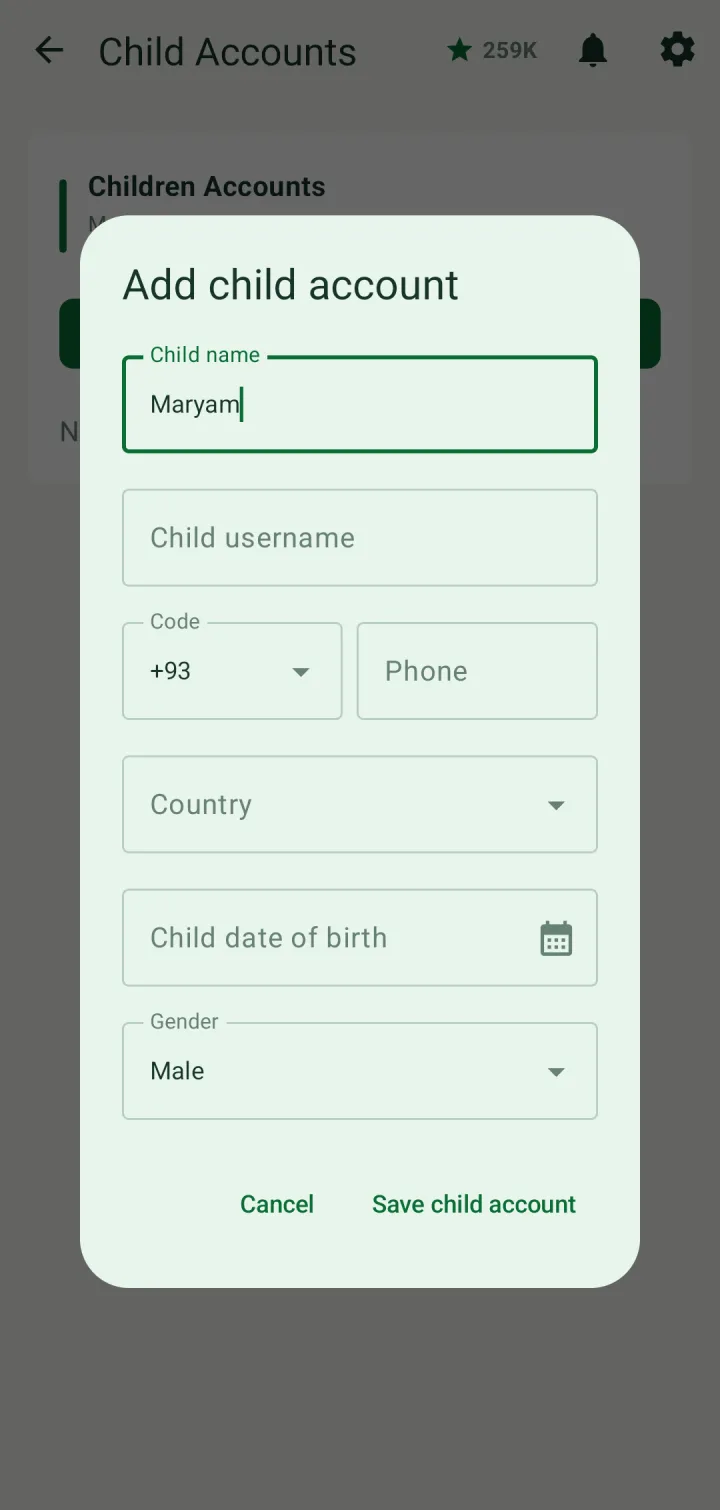
Children Accounts lists your children and lets you switch between family profiles.
A child who already has their own account can be linked from Family: open their profile in Family details and tap Add as my child. A child can be linked to more than one parent.
The Reward store
Every ten letters of the Qur'an recited, memorized, revised or listened to earn one reward point, and challenges and family tasks add more.
Tap Reward on the home screen, or Reward store in the menu. It shows your points and a list of rewards — a star badge, a favourite meal, a story book, new clothes, a family outing, a bicycle, even an Umrah trip — with how many points each needs.
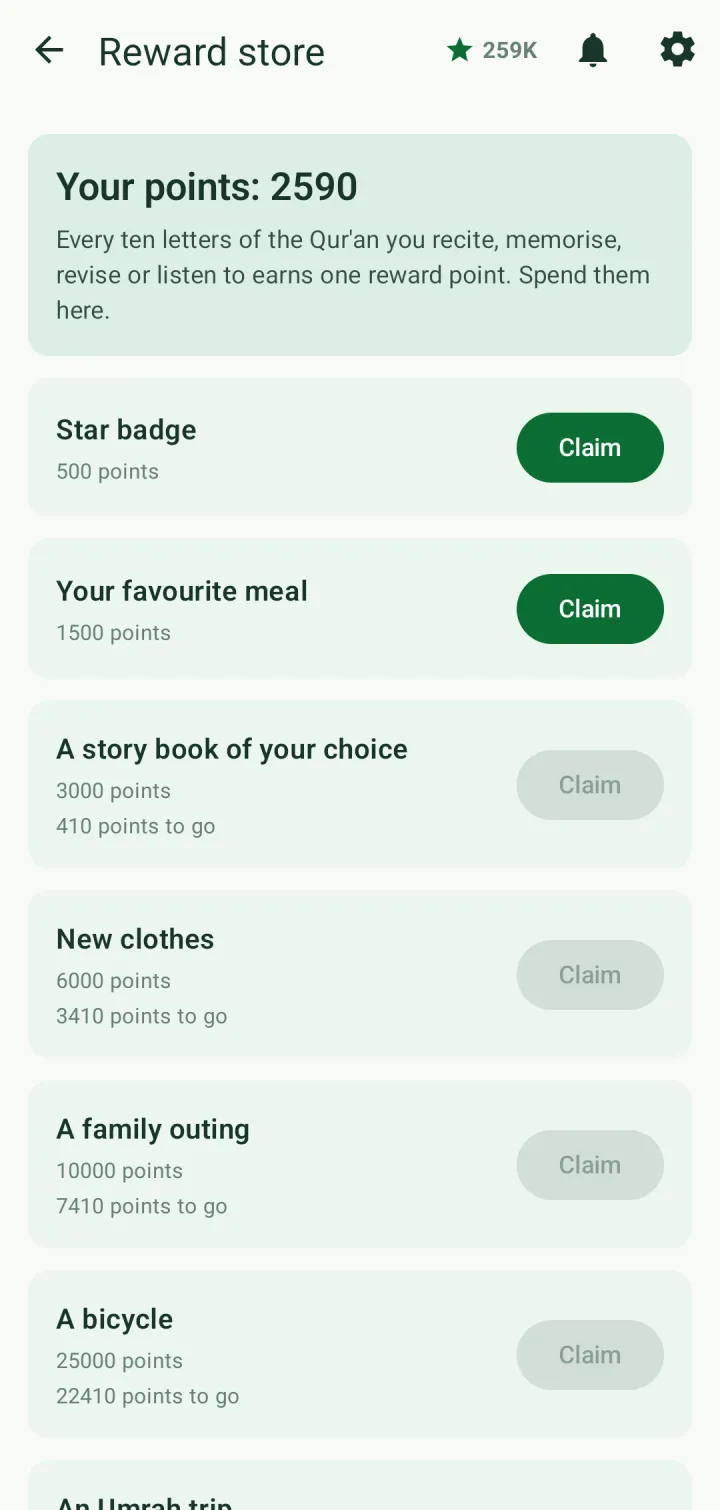
Tap Claim on a reward you have enough points for and confirm. The points are taken, and the reward appears under Achievements in your profile.