

Prayer times and qibla
Set your location, read the prayer and forbidden times, choose a calculation method, and find the qibla.
Set your location
Prayer times and the qibla are worked out on your phone. Your location is not sent anywhere.
On the home screen, the prayer card asks for your location. Tap Use my location to let the phone find it, or Choose a city instead to pick it by hand.
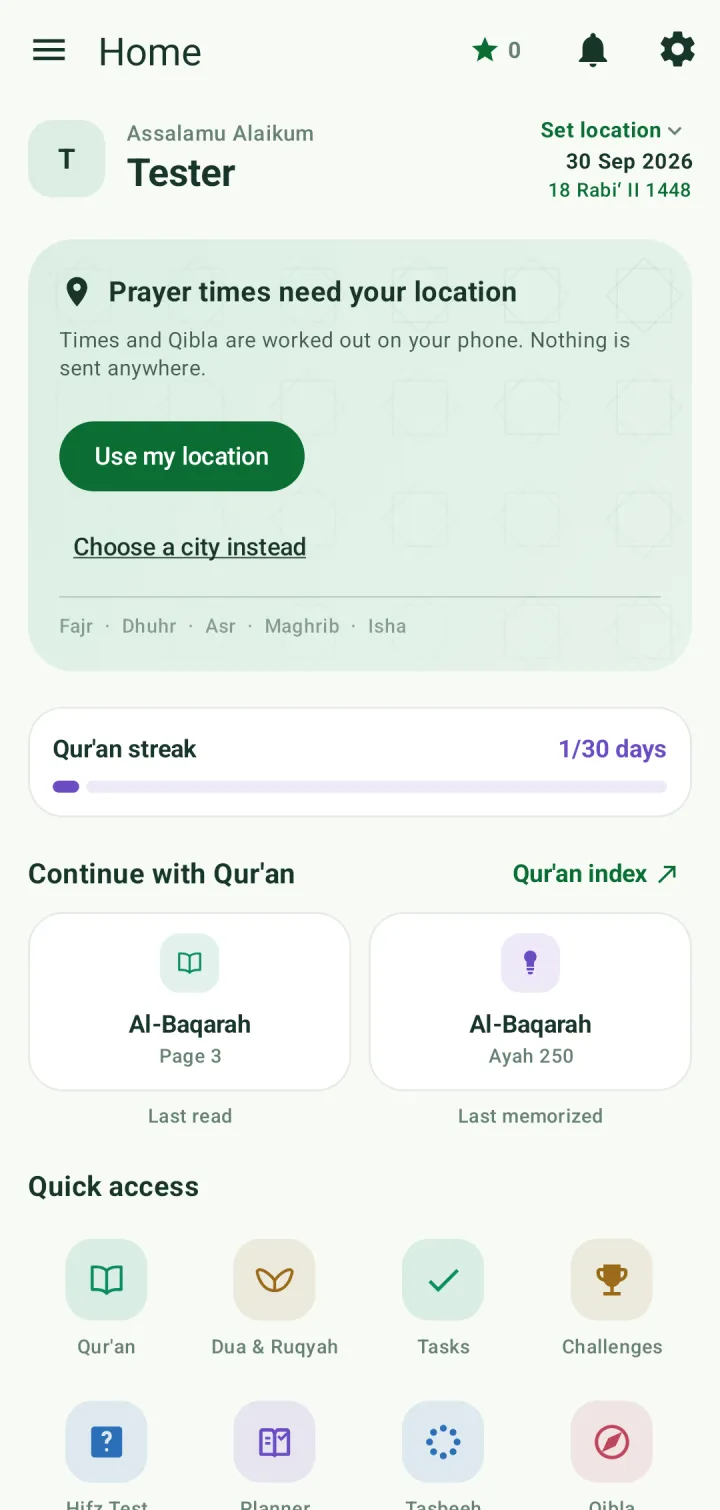
To pick by hand, tap the arrow beside the country to choose another country, then search for your city. Every country is listed; in Bangladesh you choose your district.
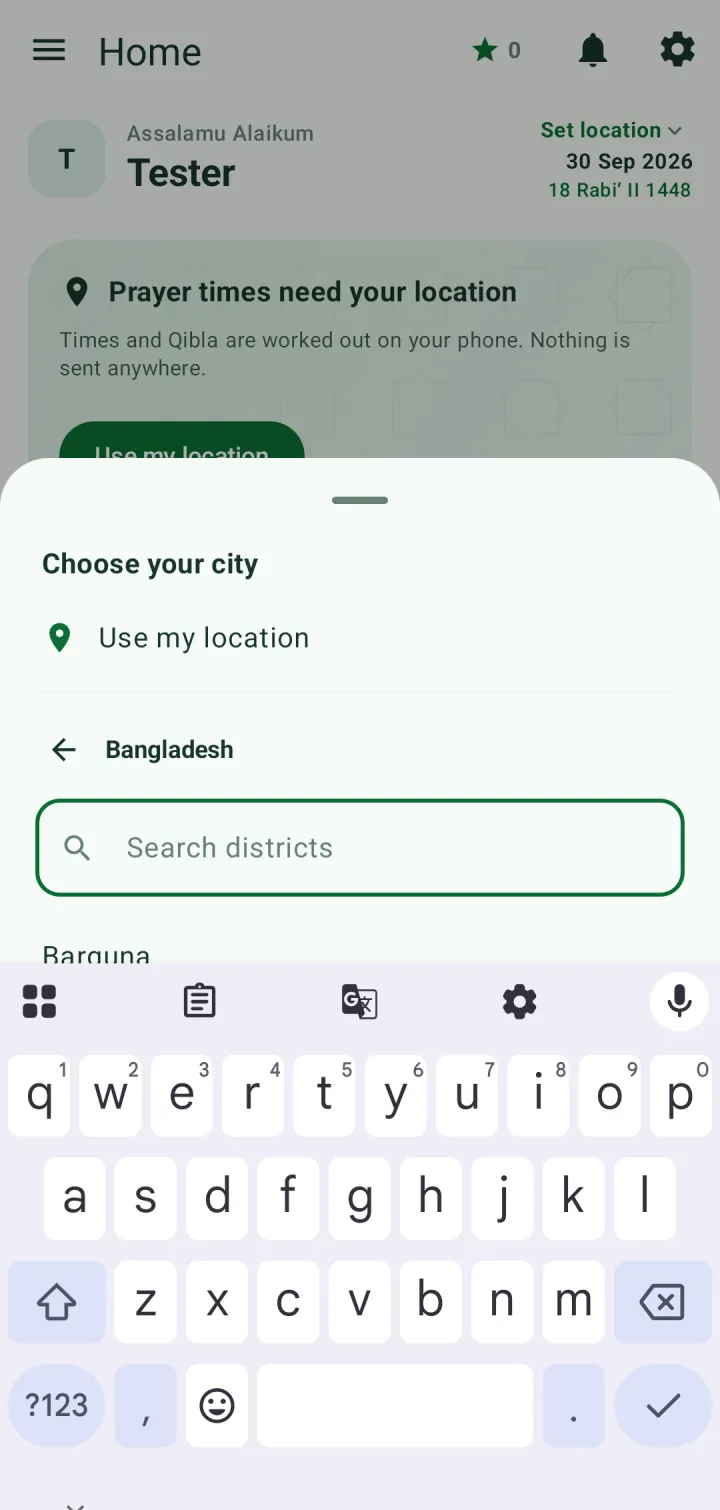
To change it later, tap the city name at the top right of the home screen, or go to Settings → Prayer times → Change location.
Read the prayer times
The card shows each prayer's start and end, the time left until the next one, and the three forbidden stretches around sunrise, zawal and sunset.
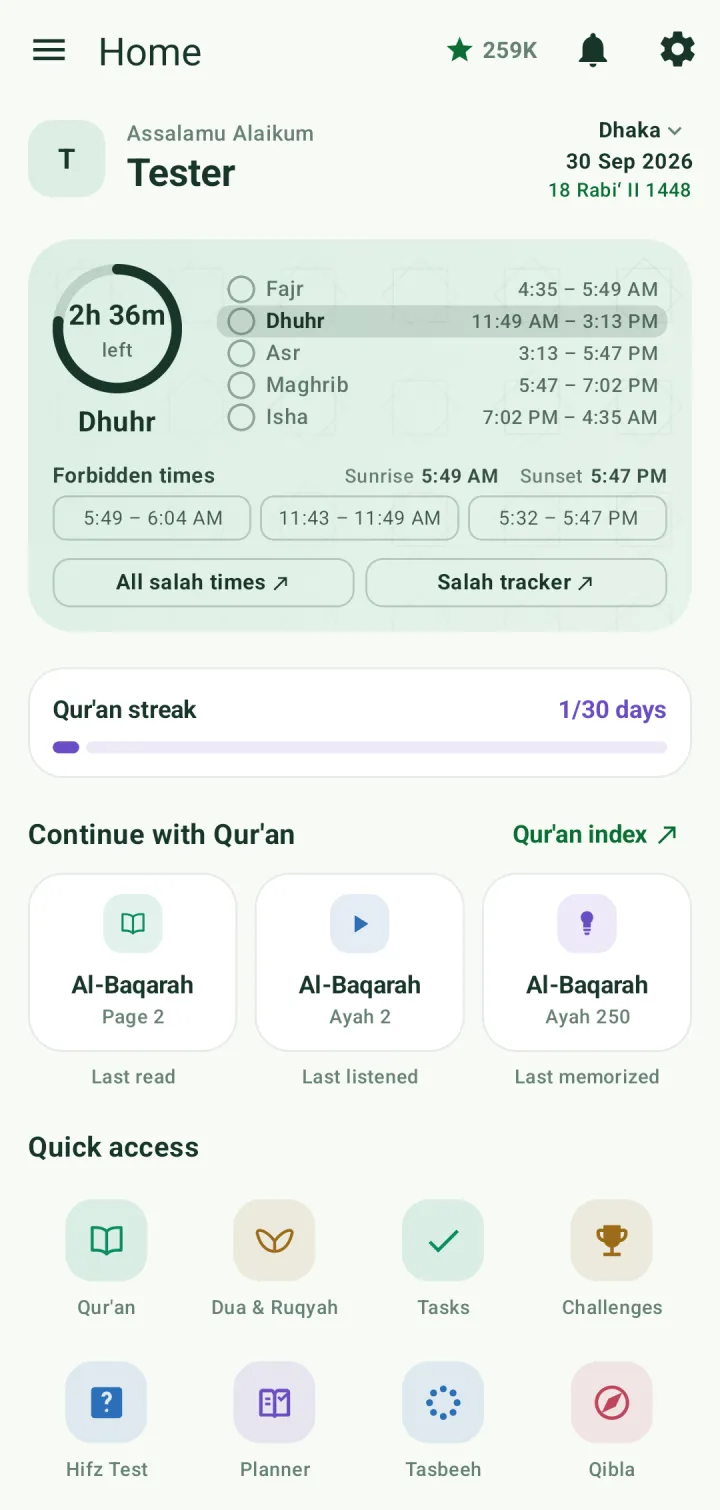
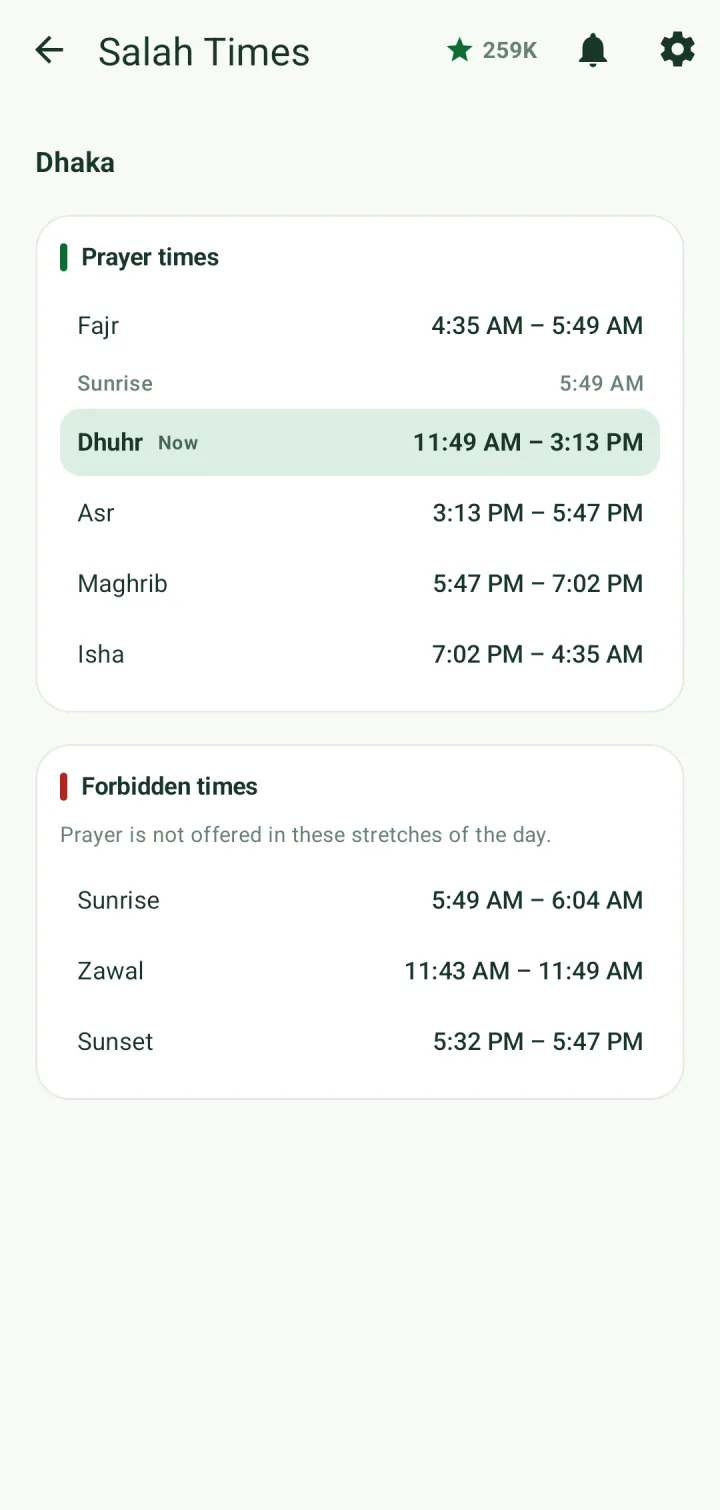
Tap All salah times for the full day on its own screen, with sunrise and a note of which prayer is in now.
Calculation method, Asr and Hijri date
In Settings → Prayer times, choose the calculation method used where you live — for example University of Islamic Sciences, Karachi, Muslim World League or Umm al-Qura.
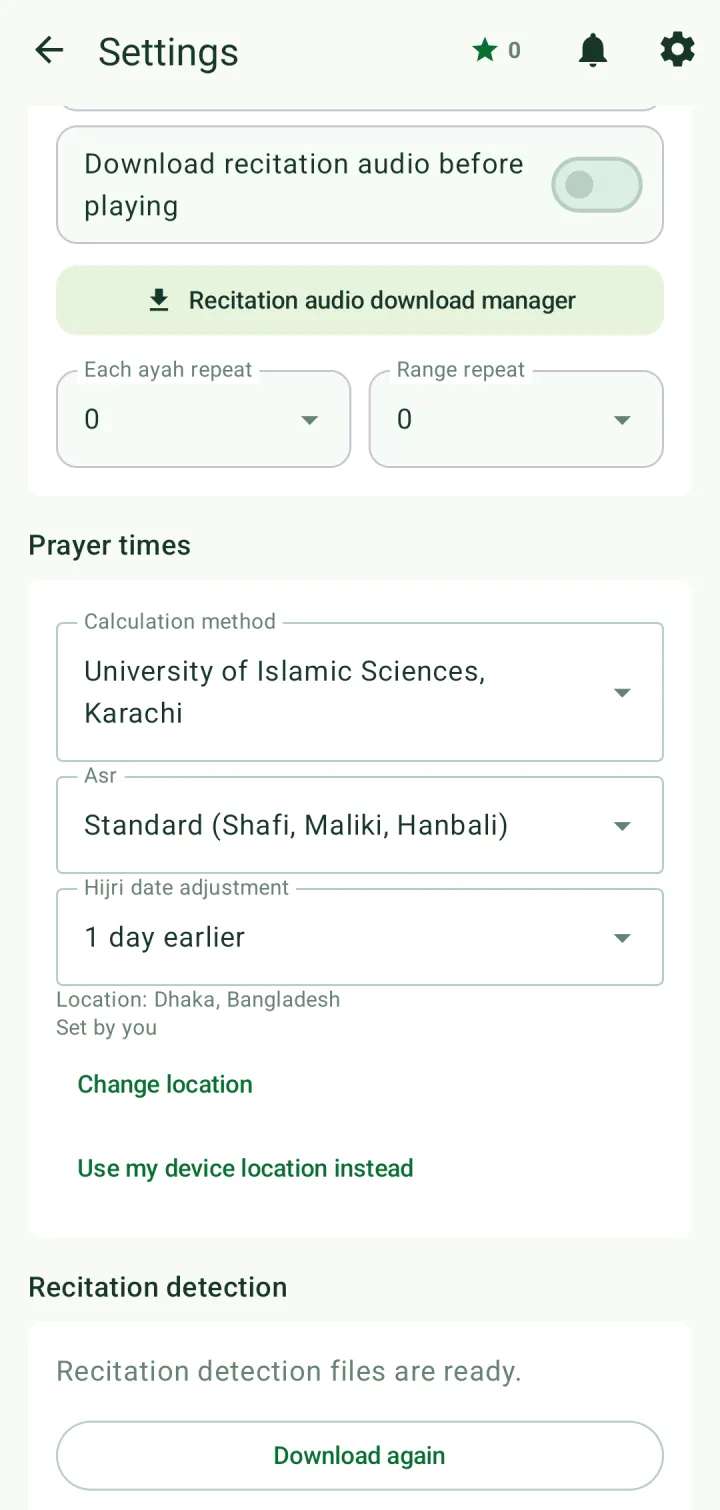
Set Asr to Standard (Shafi, Maliki, Hanbali) or Hanafi.
If the Hijri date is a day off from your local moon sighting, adjust it with Hijri date adjustment.
Find the qibla
Tap Qibla in Quick access. The bearing is shown in degrees from north; turn until the needle reaches the marker.
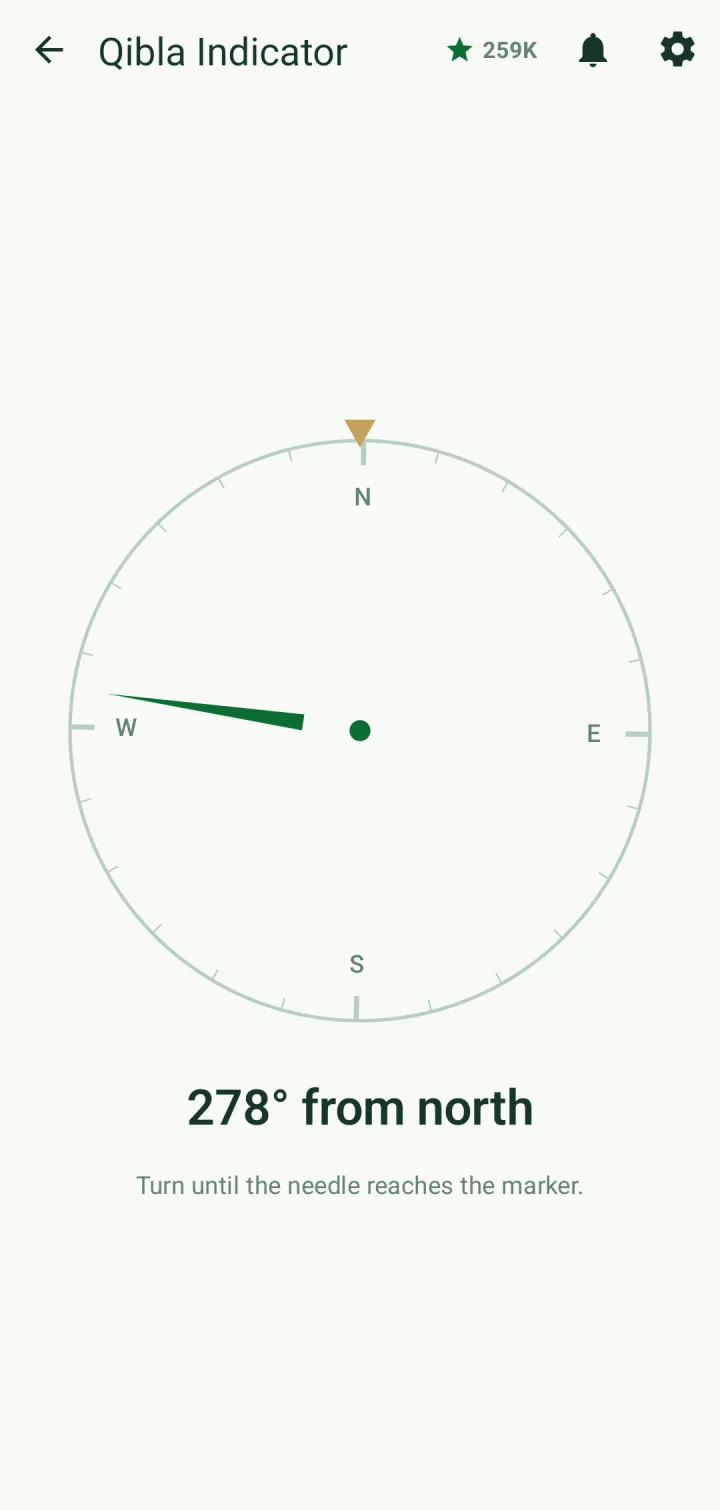
If the needle wanders, move the phone in a figure of eight to calibrate the compass. On a phone without a compass the dial can't turn, but the bearing is still shown.