

Plan and log your Qur'an
Set recitation, memorization, revision and listening plans on a schedule, log what you did, and earn hasanah and reward points.
Make a plan
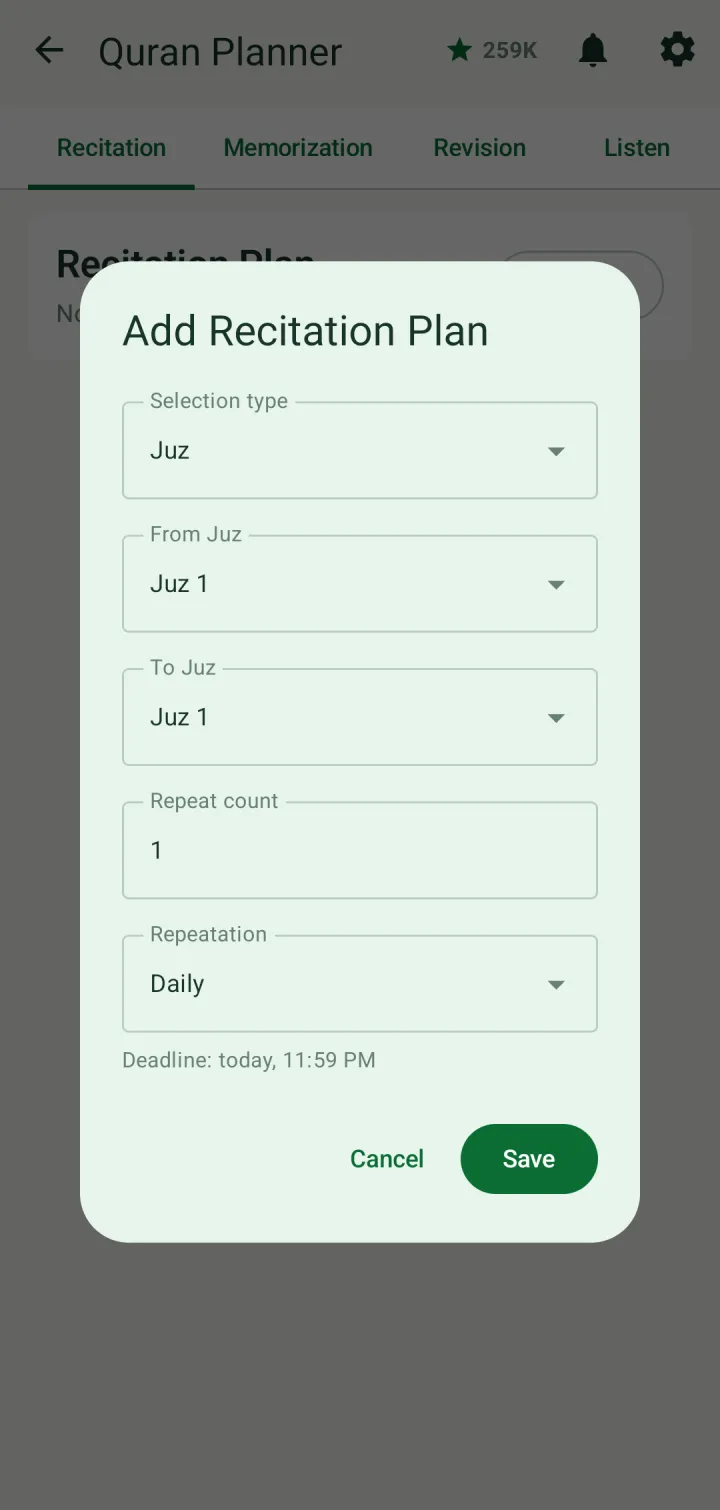
Tap Planner in Quick access. The tabs at the top hold your Recitation, Memorization, Revision and Listen plans. Pick one and tap Add.
Choose how to measure the range — by juz, for example — then where it starts and ends, how many times to repeat it, and how often: daily, weekly, monthly, yearly or once. The deadline is shown underneath. Tap Save.
The plan shows how much is done, its range, how it repeats and when it's due. Edit or delete it with the buttons on the right. It also appears among your tasks on the days it's due.
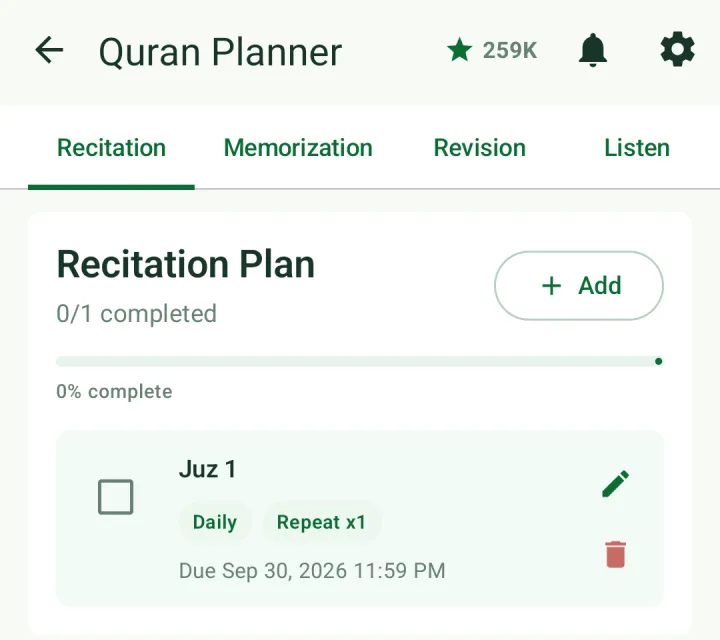
When you finish, tick it off. Ticking a memorization plan also adds its range to what you have memorized.
Log an activity
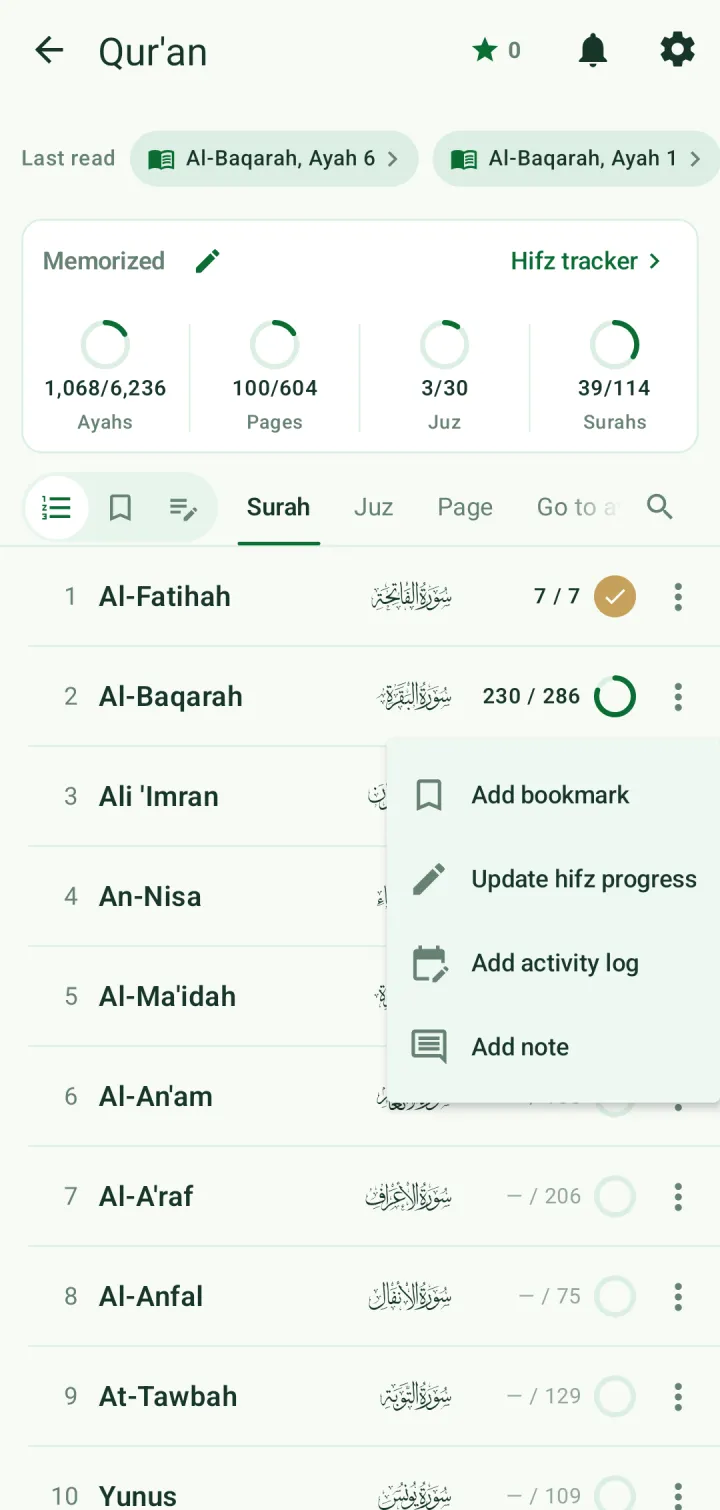
You don't need a plan to record what you did. In the Qur'an index, tap ⋮ on a surah, juz or page and choose Add activity log.
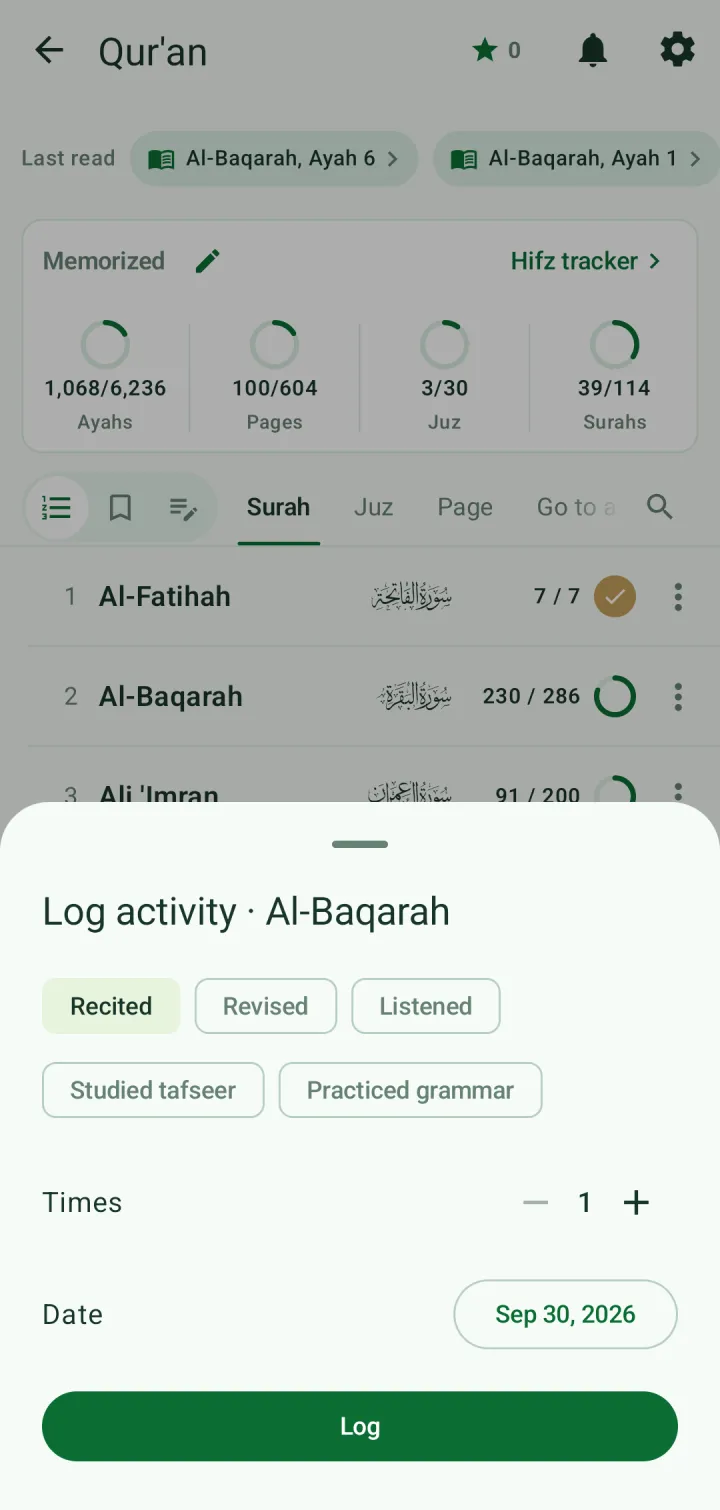
Choose Recited, Revised, Listened, Studied tafseer or Practiced grammar, how many times, and on which day. Then tap Log.
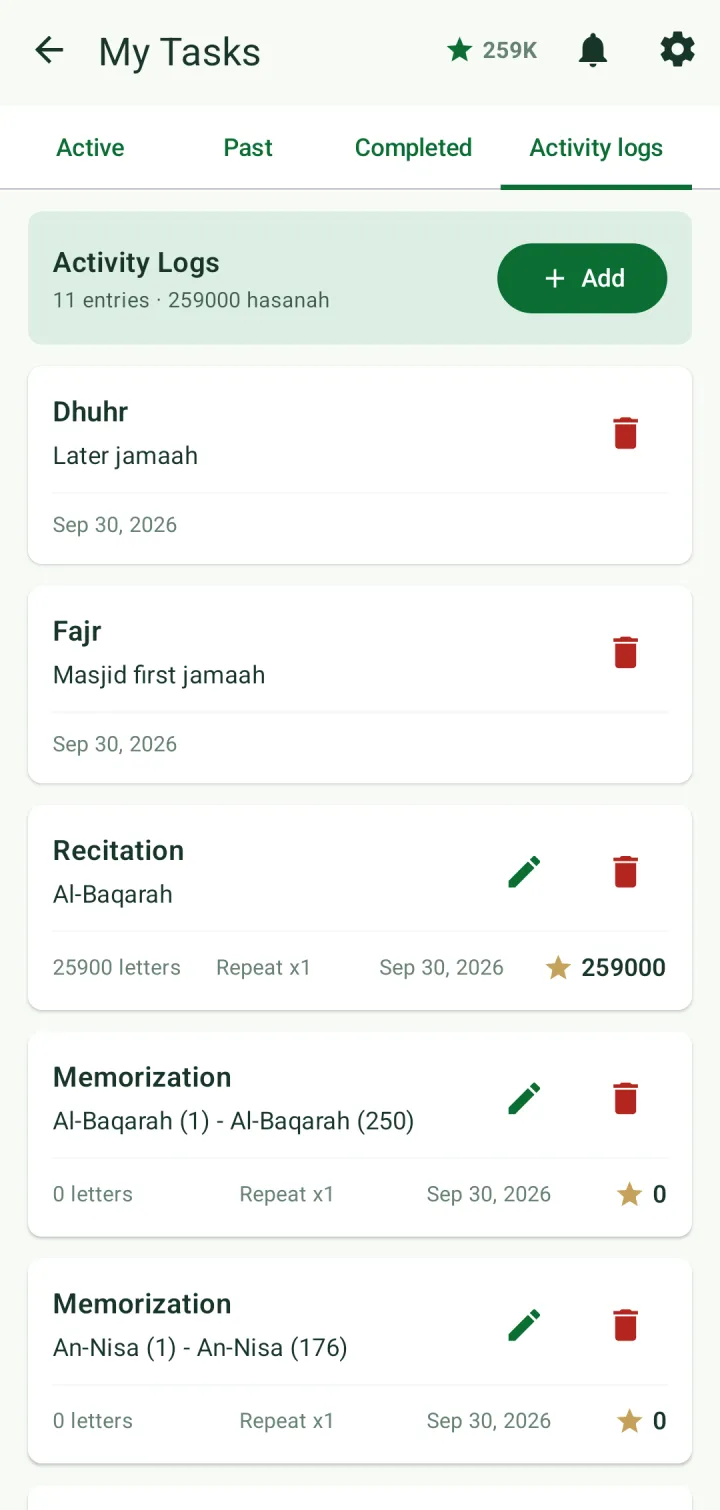
Everything you log — from plans, from the index, or salah you record — is listed under Tasks → Activity logs, with the total hasanah at the top. Edit or delete an entry with its buttons, or tap Add to log something by hand.
Hasanah and reward points
Every letter of the Qur'an you recite, memorize, revise or listen to earns ten hasanah, counted from the range you logged. Your total is the star at the top of the screen.
Every ten letters also earn one reward point. Spend points in the Reward store — for example a family outing or a story book — which is handy for motivating children.