

Getting started
Install the app, choose a language, sign in or carry on as a guest, and find your way around the home screen and settings.
Install and choose a language
Install Muqarrib from Google Play and open it.
On first launch the app asks which language to use: English, Bangla or Arabic. You can change it later in Settings.
Sign in, or carry on as a guest
An account keeps your reading, memorization and trackers in sync across devices, and is needed for Family. You can also use the app without one.
If you already have an account, enter your email and password and tap Sign in.
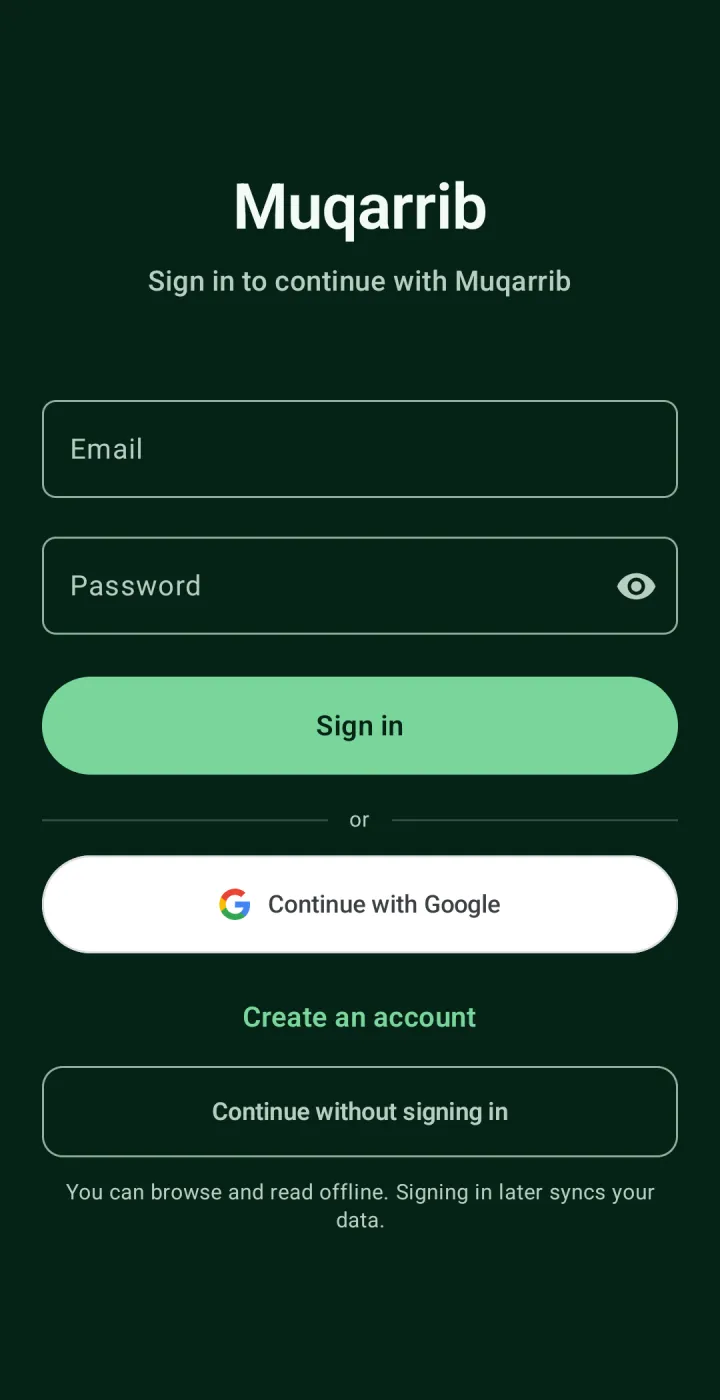
Tap Continue with Google to create an account straight away from your Google name. Two optional steps follow — set a password, then complete your profile — and you can skip both.
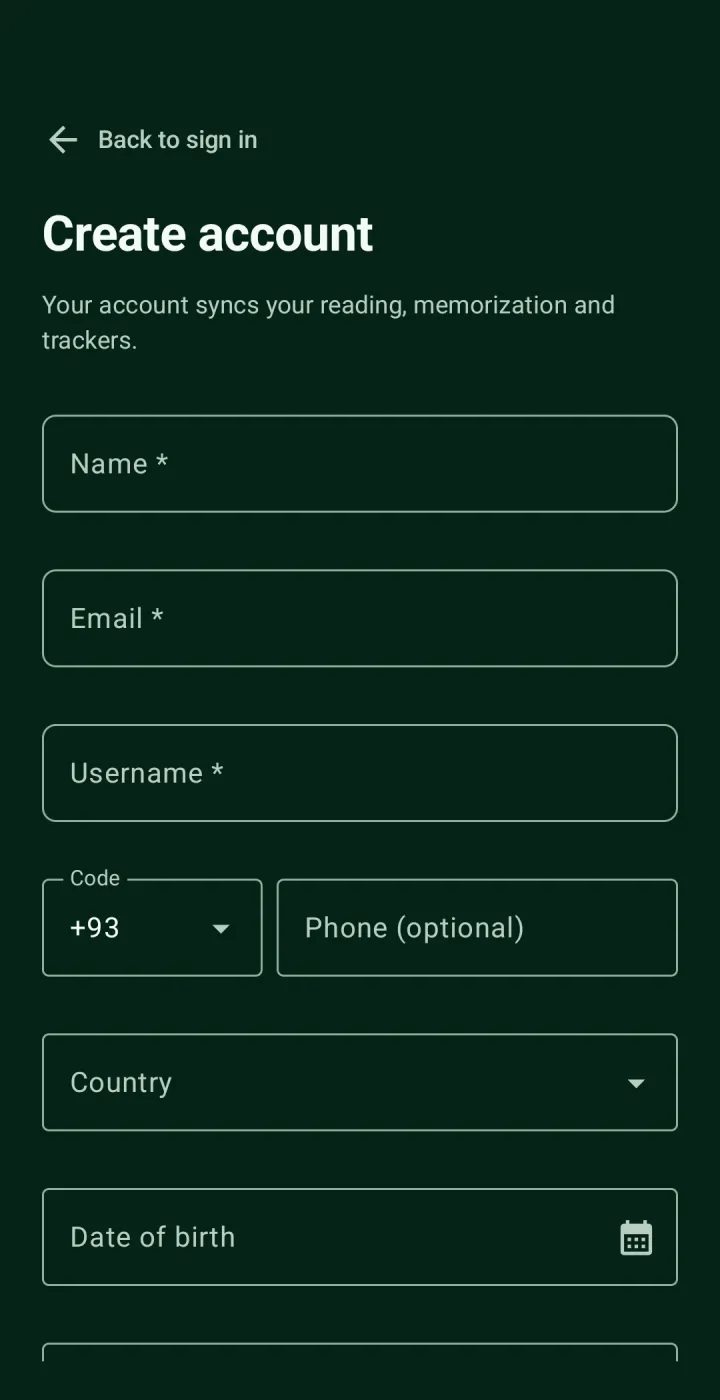
Or tap Create an account to sign up with a name, email, username and password. Phone, country, date of birth and gender are optional.
Or tap Continue without signing in. You can read and use the app offline, and everything you record as a guest moves to your account when you sign in later.
Find your way around the home screen
The top card shows today's prayer times, how long until the next prayer, and the forbidden times. Below it are your Qur'an streak and three Continue with Qur'an cards that pick up where you last read, listened and memorized.
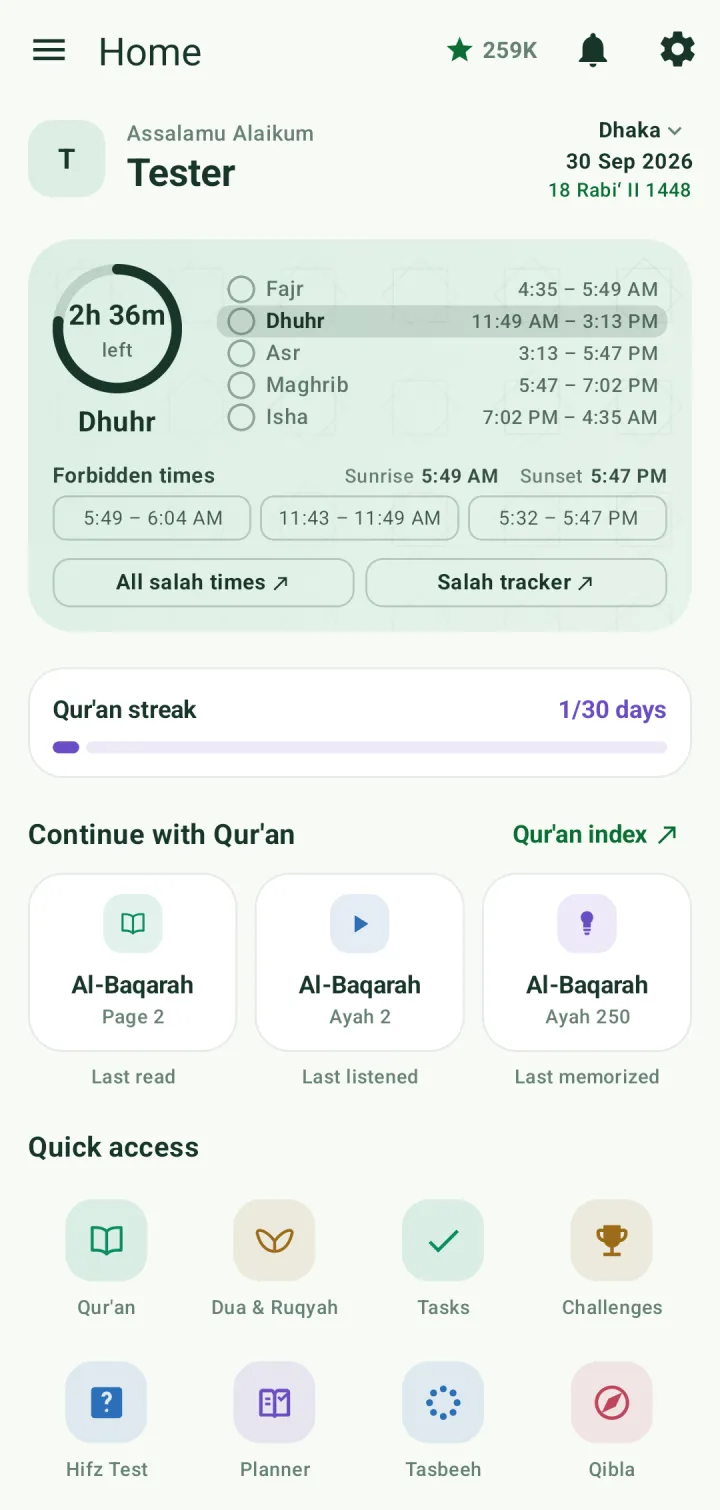
Quick access opens the main features: Qur'an, Dua & Ruqyah, Tasks, Challenges, Hifz Test, Planner, Tasbeeh and Qibla. Scroll down for your trackers (Salah, Amaal, Hifz, Revision and Sadaqah) and for Family, Children and Reward.
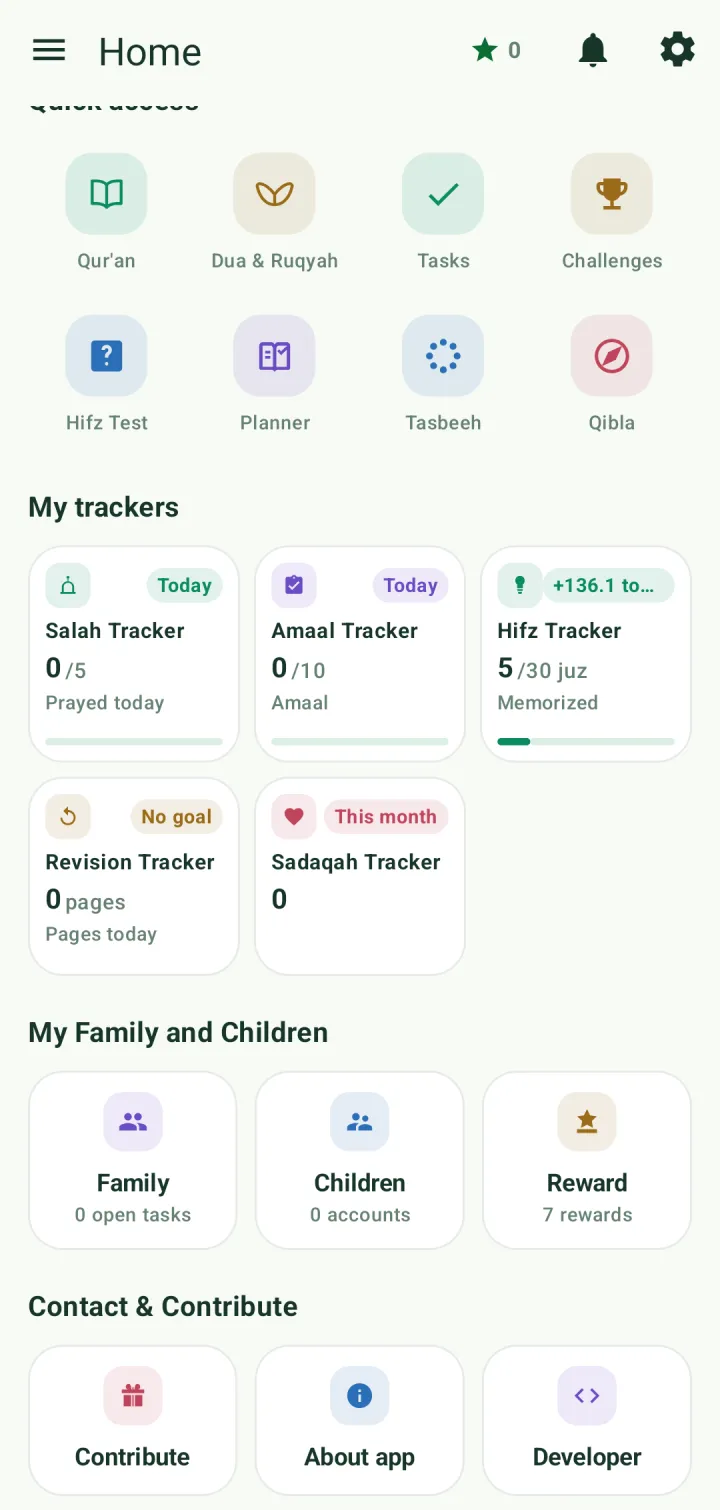
The star at the top shows the hasanah you have earned. The gear icon opens Settings.
Theme and language
Open Settings from the gear icon. Use the search box at the top to find a setting by name.
Under Appearance & language, pick Light, Dark or System default, an app colour theme, and the app language.
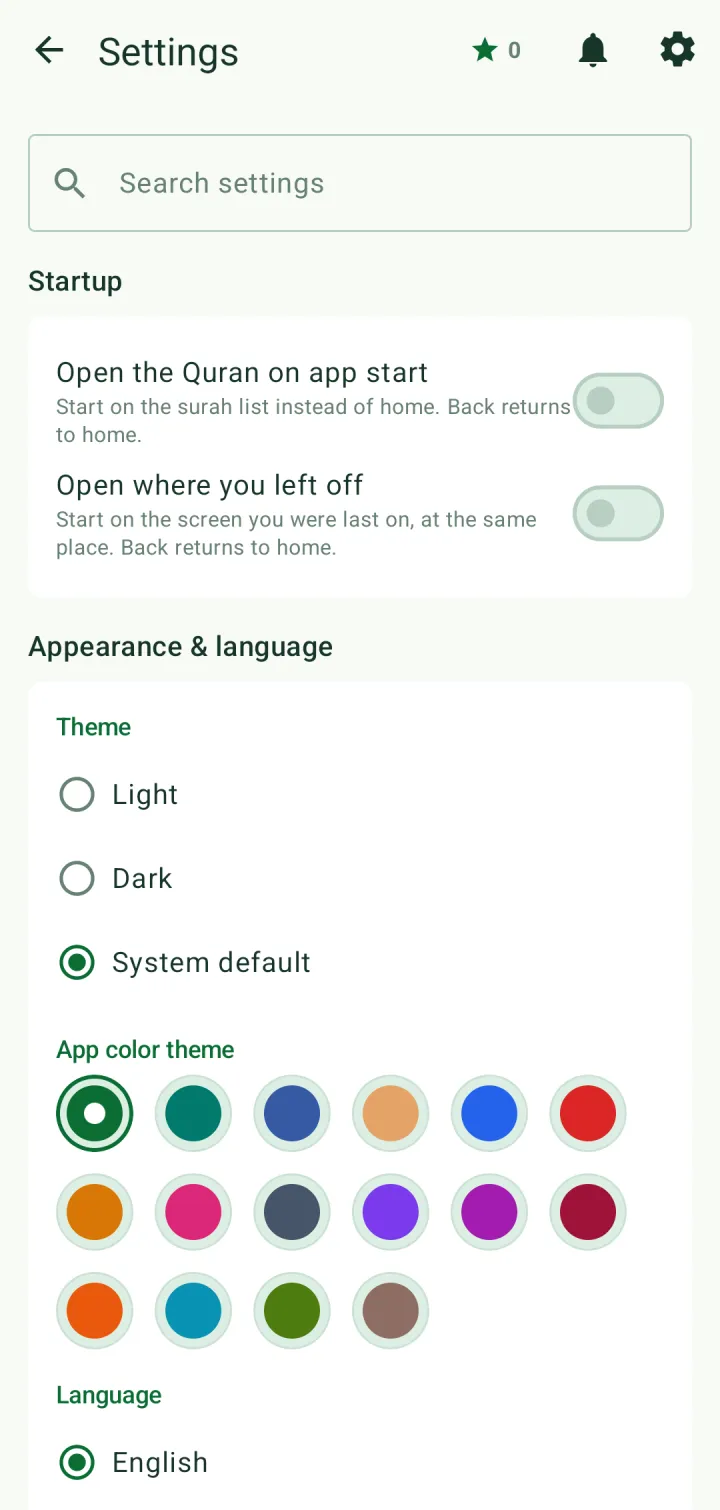
Under Startup you can have the app open straight to the Qur'an surah list, or to wherever you left off. Back still returns to home.
Sync, backup and your data
When you're signed in, Sync data to cloud keeps your progress the same on every device. Turn it off to keep everything on this phone only.
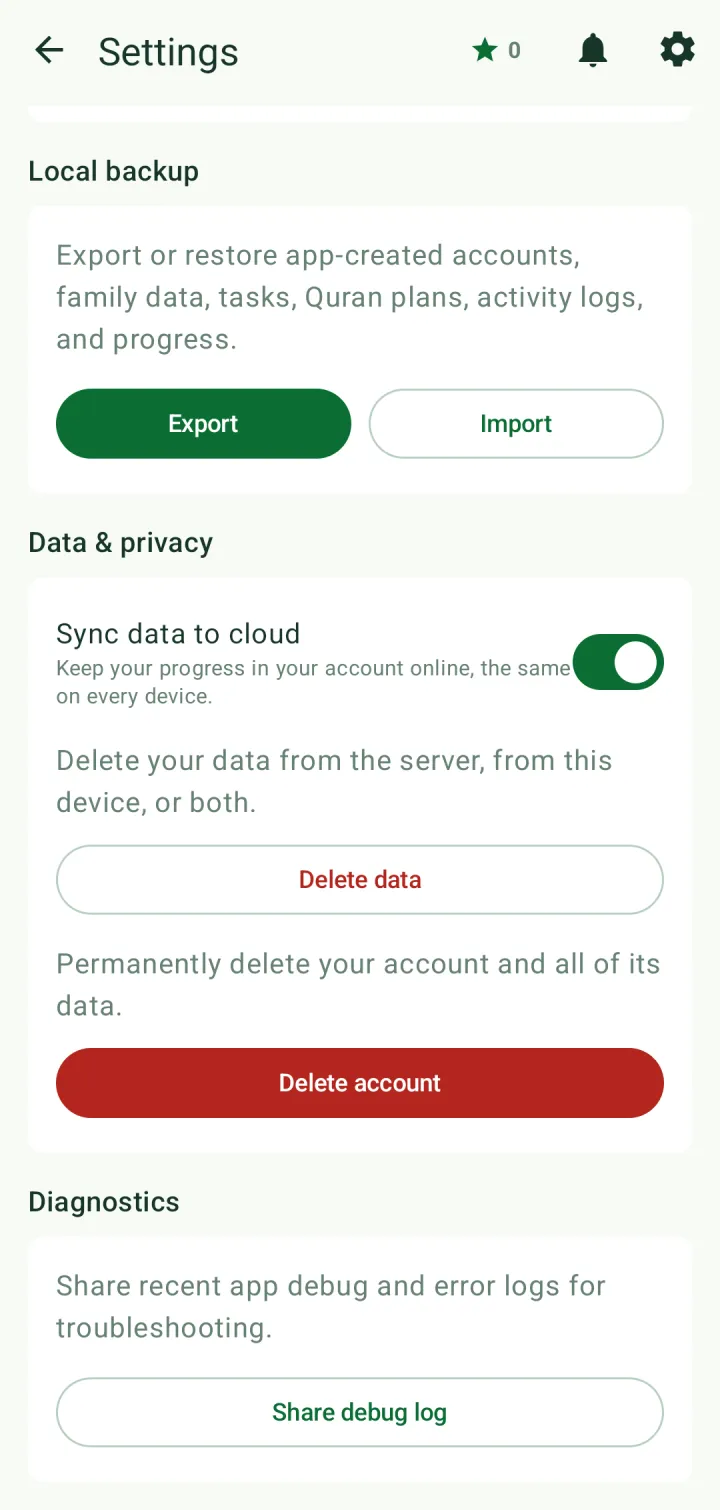
Local backup → Export saves everything the app holds to a file; Import restores it. Backups made in Ad-Deen, the app's earlier name, can be imported too.
Delete data removes your data from the server, from this device, or both, and keeps your account. Delete account removes the account and all of its data.